How to Create Your Own Virtual World
Bring Your Imagination to Life with V3DS
Have you ever dreamed of creating your own virtual world? A place where people can explore, connect, discover, play, learn, or experience something entirely new?
With V3DS, you can turn your ideas into an immersive virtual experience. Whether you want to build a virtual showroom, an interactive destination, a digital community, a learning environment, or a world inspired by your imagination, your journey starts with an idea.
Your world. Your vision. Your rules.
Discover how to get started and create a virtual world of your own.
Step 1: Imagine Your World
Every great virtual world begins with an idea.
Think about the kind of experience you want to create. Will it be a realistic recreation of a real-world location, a futuristic city, a virtual business space, an interactive exhibition, or a completely original environment?
Consider these questions:
- What is the purpose of your virtual world?
- Who do you want to visit and experience it?
- What will make your world unique?
- What do you want visitors to see, do, and discover?
You don't need to have every detail figured out. Start with your vision and let your ideas grow.
Step 2: Plan Your Virtual Environment
Once you have an idea, it's time to think about how your world will look and feel.
Consider the spaces, locations, and experiences you want to include. You might want to create rooms, buildings, landscapes, meeting spaces, product displays, or entire virtual destinations.
Think about how visitors will move through your world and what they will experience along the way.
A simple plan can help you transform your ideas into a virtual environment that feels engaging, intuitive, and uniquely yours.
Once you know what type of virtual world you want, choose between a total of 7 virtual worlds the ones that matches more closely your ideal one:
Beach Area (calm and relaxing)
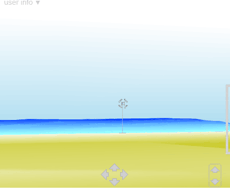
Lost Castle (mistery and adventure)
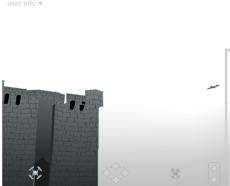
Desert Area (far away from society)
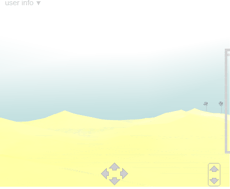
Stone Temple (stone like territory)
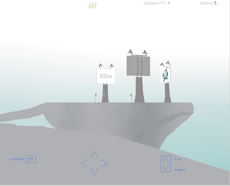
Space Fans (out there in the vacuum of space)
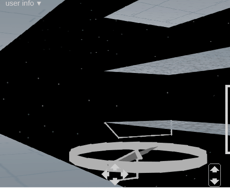
Light House (lots of adventures and ocean)
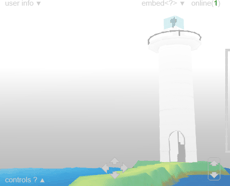
Space Port (futusitic world on there far from earth)
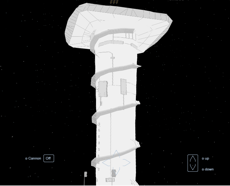
Step 3: Build Your World
Now it's time to bring your vision to life.
You can choose your virtual world by going to the configuration page and locating the update virtual world drop down:

Start with the essentials. You can always expand, refine, and improve your world as your ideas develop.
Select the time of the day (day or night) by going to the configuration page and locating world date time selector:

Start with the essentials. You can always expand, refine, and improve your world as your ideas develop.
Remember: Your first version doesn't have to be perfect. The goal is to get started and build something you can continue to develop.
Step 4: Make It Interactive
A great virtual world is more than just a place to look around. It's an experience.
Think about how you can make your environment more engaging for visitors. You might incorporate interactive objects, information points, multimedia content, product displays, activities, or other features supported by the platform.
Consider what visitors should be able to discover and accomplish while exploring your world.
The more thoughtfully you design the experience, the more meaningful and memorable it can become.
Step 5: Personalize Your Experience
Make your virtual world reflect your personality, brand, business, or creative vision.
Choose a visual style, organize your environment, and add details that help bring your concept to life. Whether your goal is to create something professional, imaginative, educational, entertaining, or experimental, the details help make the experience your own.
There is no single way to create a virtual world. The possibilities depend on your imagination and the tools available to you.
Step 6: Explore, Test, and Improve
Before sharing your world, take time to experience it from a visitor's perspective.
Explore the environment, test available interactions, check how spaces connect, and make sure visitors can understand where to go and what to do.
Ask yourself:
- Is the experience easy to navigate?
- Does the environment communicate the right message?
- Are the interactive elements working as intended?
- What could make the experience more enjoyable or useful?
Keep refining your creation until you're happy with the experience.
Step 7: Share Your Virtual World
Your world is ready to meet its visitors.
When your virtual environment is ready, use the publishing and sharing options available through V3DS to make it accessible to your intended audience.
Depending on your goals and the platform's capabilities, your virtual world could become a place for customers to discover your business, visitors to explore an exhibition, students to learn, communities to connect, or audiences to experience your ideas in a new way.
Creating your world is just the beginning. Sharing it opens the door to new possibilities.
What Will You Create?
Your virtual world can be as simple or as ambitious as you imagine. Start with one idea, build your first environment, and discover what's possible as you develop your creation.
Whether you're an individual creator, a business, an educator, or an organization, V3DS can be the starting point for exploring your own virtual space.
The next virtual world could be yours.
Ready to Get Started?
Take the first step toward bringing your vision to life.
Create your own virtual world with V3DS.
Get Started Today